

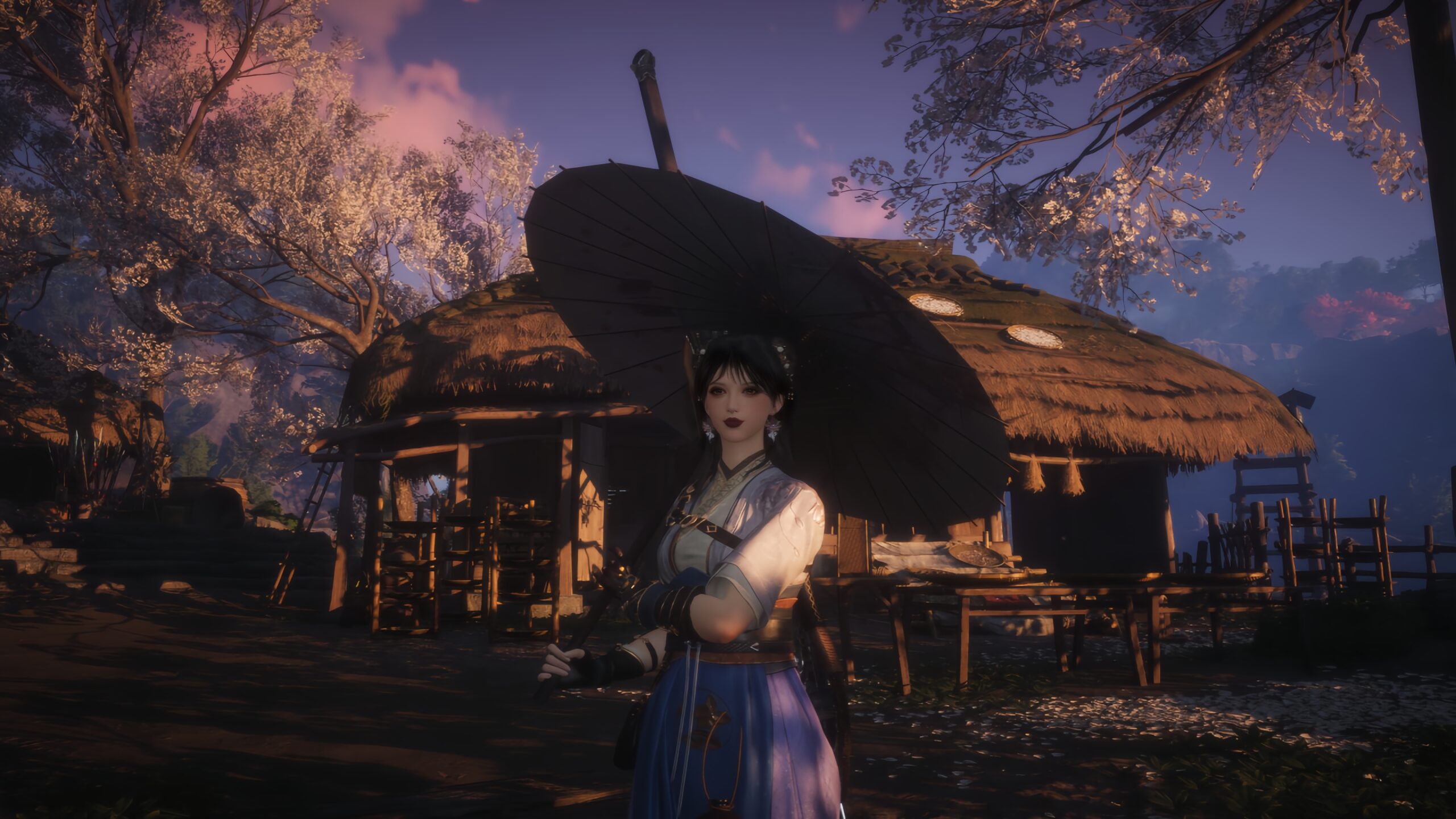
The Great Faceologist is a limited-time fashion/appearance event in Where Winds Meet that lets you upload stylish portraits and earn rewards through simple tasks and popularity. It is a limited-time fashion and face-editing event, not a location or NPC.
The event is a face-customization contest where players upload character close-ups to an in-game gallery for likes and rewards. It is available during the Timeless Bonds 1.1 update, running from December 11 to 31, 2025.
This quick guide shows how to join the event, upload your own design, and claim nearly all rewards fast.
How to Start the Great Faceologist Event
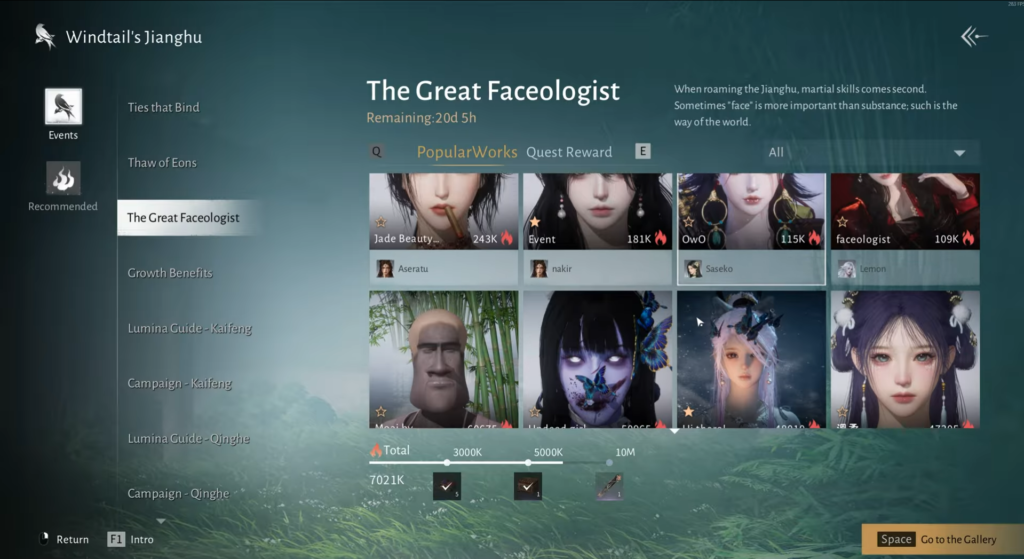
First, open the main menu and go to the Events section. Look for “The Great Faceologist” event banner and select it to open the event page.
You can see the remaining event time at the top; if more than 21 days have passed since the patch, the event is likely no longer available.
On this screen, you will also see a list of quest-style objectives and their rewards, including basic task rewards and popularity-based rewards.
Browse Faceologist Event Gallery
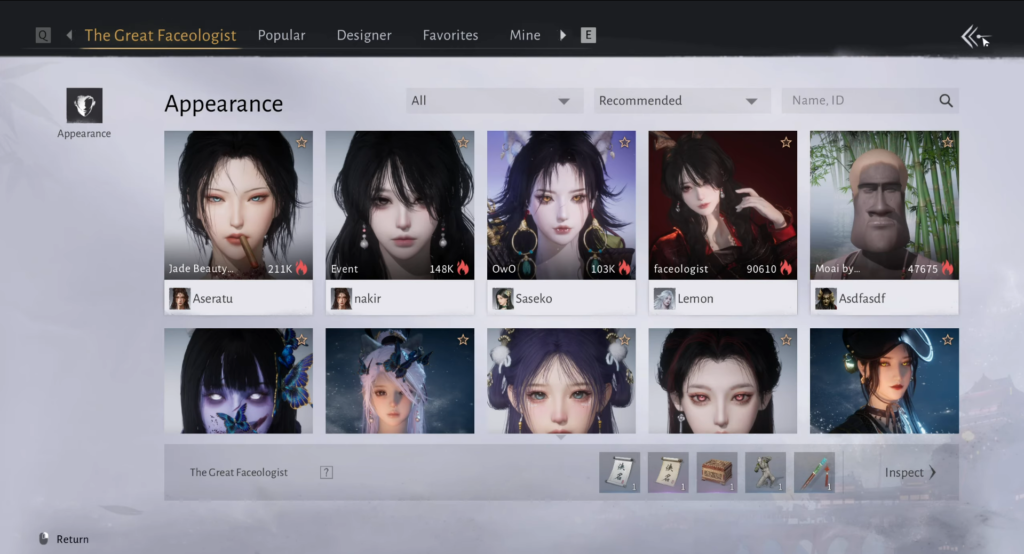
From the event page, open the gallery to view all submitted works. Here you can scroll through entries from other players and preview their portraits.
If you see a design you like, you can give it a “like” or “star” to increase its popularity. This also completes one of the event tasks that requires you to favorite or like another player’s work.
How to upload your own Faceologist Entry
To upload your portrait, exit the gallery and open Appearance from the menu.
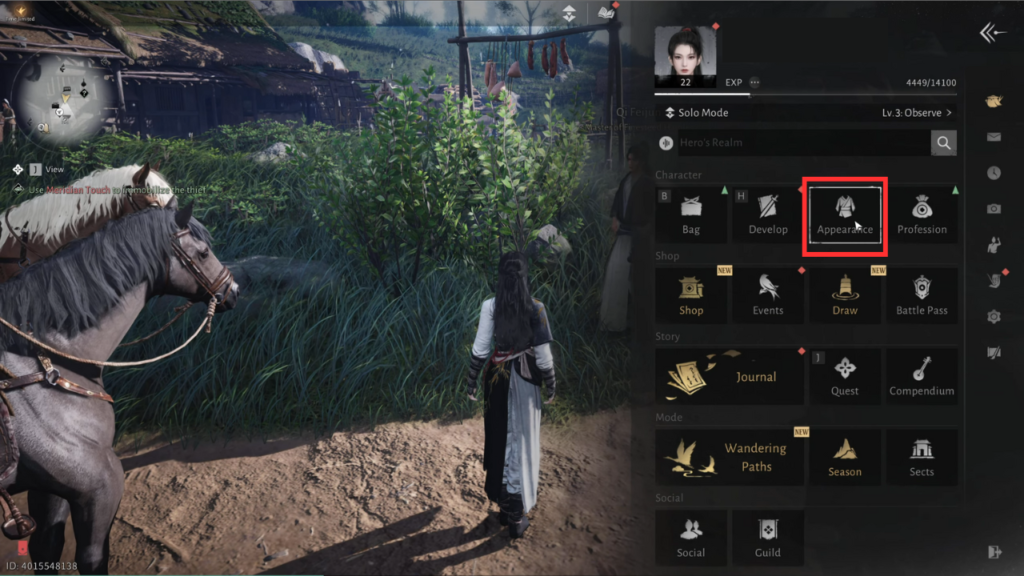
Enter the face editor to view your character’s face. You can keep your current look or adjust presets as you wish, though changes are optional for completing the event.
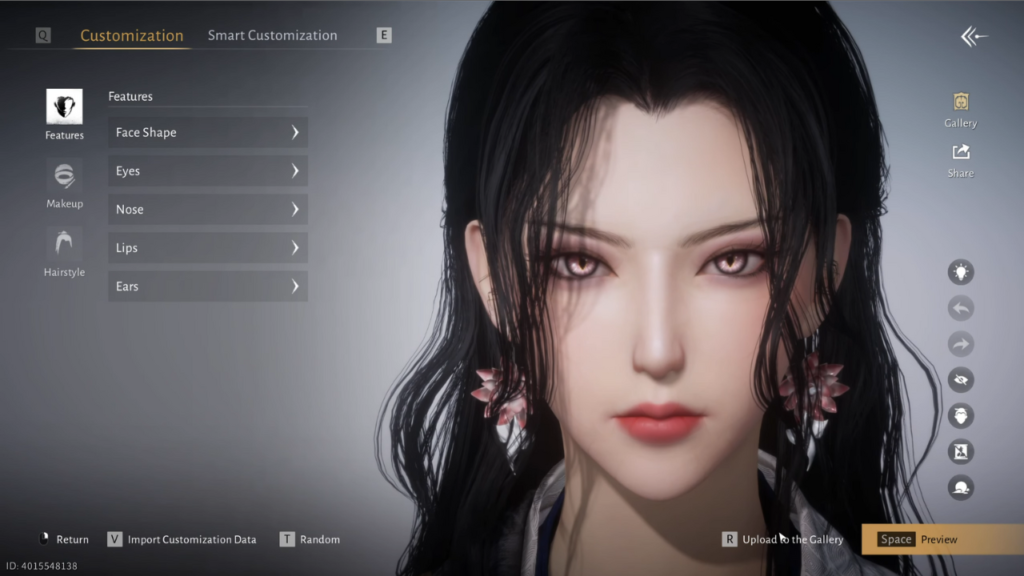
Next, select an outfit that fits your style. Press “Esc” to return to the photo setup and choose a background that makes your character stand out.
Press R to upload to the gallery. Enter a title for your submission and ensure the Great Faceologist event tag is selected.
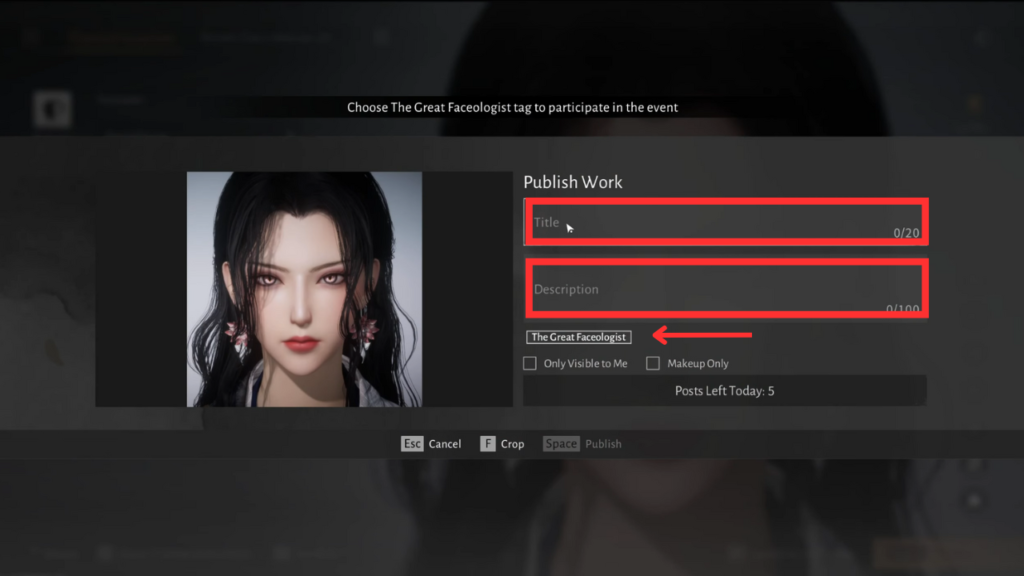
Add a short message like “Vote for me” if you want, then press Space to publish your portrait. Your work now appears in the gallery for other players to see and vote on.
Keep in mind that there is a daily limit, allowing up to five submissions per day.
How to Complete The Great Faceologist Event
By uploading, liking, sharing, commenting, and applying to work, you can finish most tasks in minutes. The remaining objectives require gaining popularity, such as earning five votes for your submission.
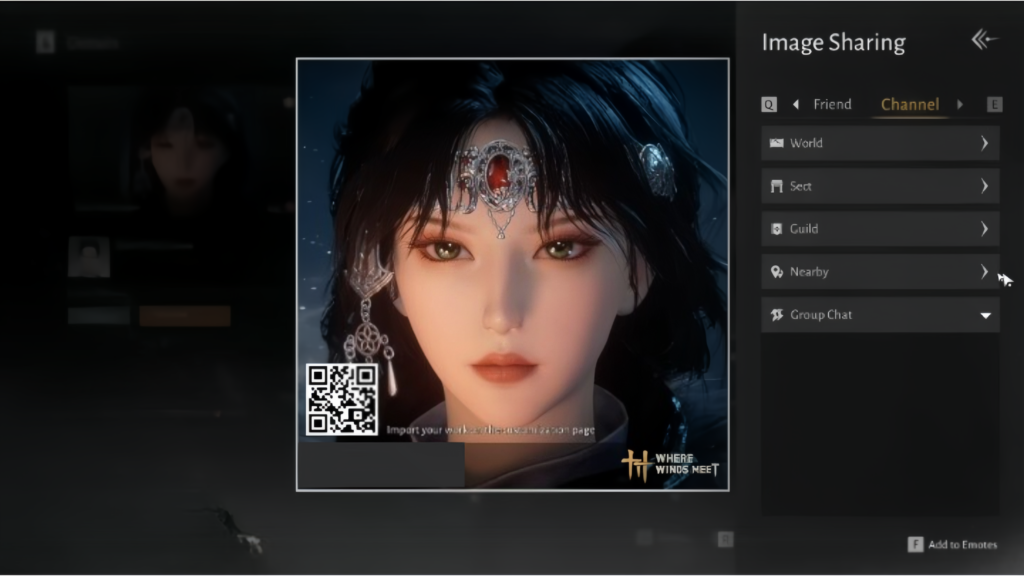
To push popularity, ask friends or guildmates to open the gallery and press the like or star icon on your image portrait. Some milestones only need a small number of likes, which makes early rewards easy for active players. Higher-tier rewards depend on more votes but are optional.
By following these steps, you can upload your portraits, share designs, and earn most rewards quickly. Enjoy the event and watch your submissions gain popularity in the gallery.
