


Destiny 2 Renegades expansion introduces the Lawless Frontier, a high-stakes PvE activity where strategy really matters. One of the most important systems to learn here is wagering Deathmarks, a special currency earned from Lawless Frontier contracts and activities.
They’re mainly used to wager on Invasions for improved loot, such as Praxic Blade crystals and other related rewards. In this guide, we’ll show you exactly how to wager Deathmarks in Destiny 2 and use them the right way.
How to Access the Wager Screen
You might know about wagering Deathmarks, but can’t seem to find where to do it—there’s nothing in the menu, and nothing in the lobby when you pick your abilities. Don’t worry, it’s a little hidden, but here’s how to get to it:
First, open your Director, navigate to the Lawless Frontier / Renegades map, and press left on the D‑pad to open the Contracts view.

From there, head into one of the Invasion matches in the Lawless Frontier playlist.
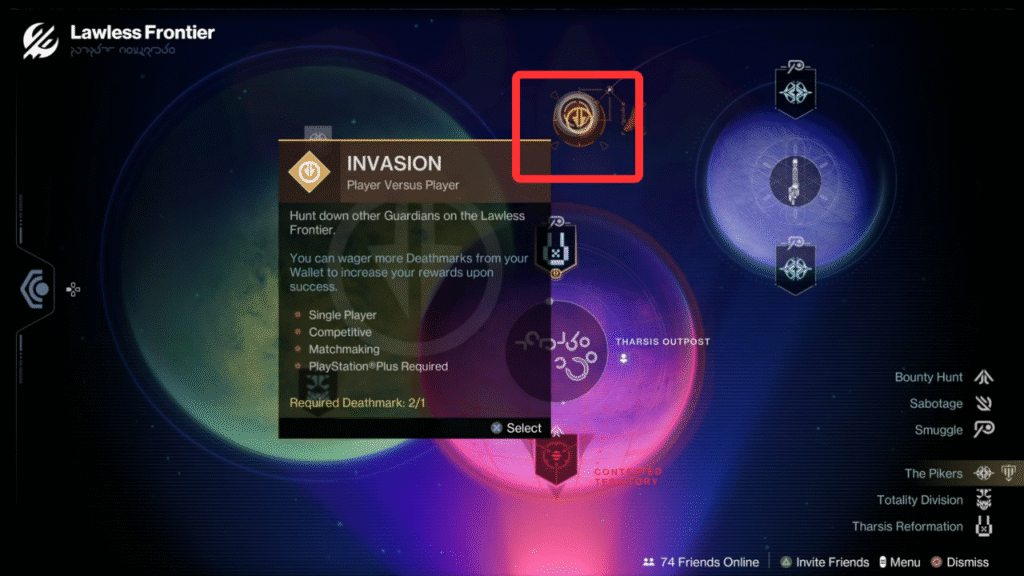
Switch to the Wallet tab to view your total Deathmark.
This will bring up the list of available Contracts where you can manage Deathmarks.
Read More: Destiny 2: How To Complete the Piker Raider Pit and Fix Bugs
How to Wager Deathmark in Destiny 2
Once you have Deathmarks and are on the correct screen, you can stake them on an Invasion.
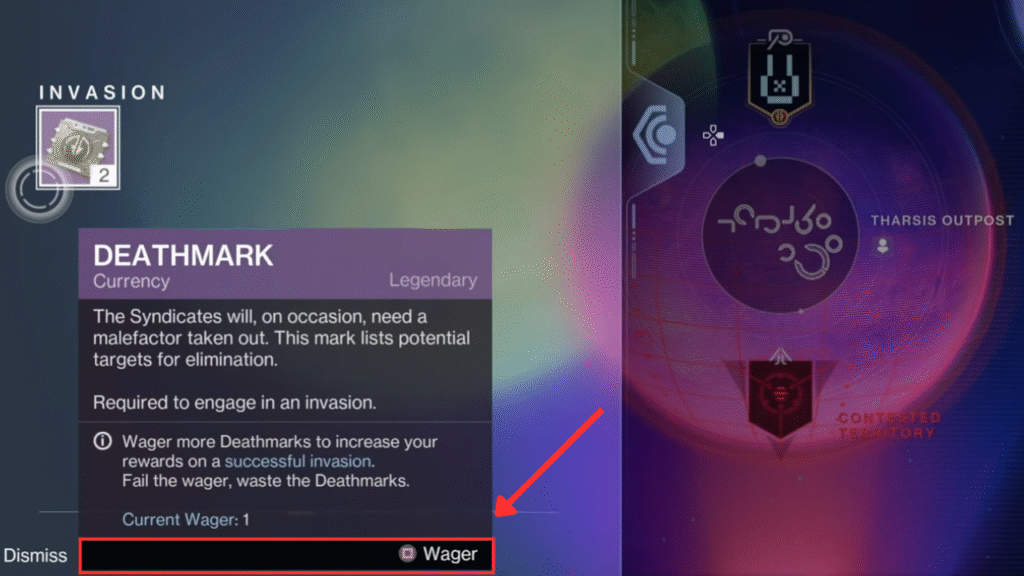
Highlight or select the Invasion node and use the Wallet options to choose how many Deathmarks you want to stake. By default, it wagers one, but you can add more to increase the risk and the rewards if you complete the Invasion.
Once you’ve wagered everything, launch the Invasion and complete it to earn the triumph.
And that’s it! Wager your Deathmarks, complete the Invasion, and enjoy better loot.
Read More: Destiny 2: How to complete the Piker Raider Pit and Fix Bugs
